Flipboard, Your Social Magazine

Read your favorite website content in simple beautiful way.

Pixlr Online Photo Editing - Recommended

Pixlr is an free online photo editor that works great if your not on a pc that has photo editing software or if your restricted on a company computer.

My New Touchpad and Thoughts

Checkout my new Touchpad review.

Baseball Collector's Dream Site - Zistle.com

Great place to keep track of your card collections online.

Showing posts with label gps. Show all posts

Tuesday, March 10, 2009

XRoad G-Map iPhone navigation map gets reviewed, patted on the back


While the world waits for a tried-and-true navigation app from Apple, XRoad is taking advantage of the situation by offering up its G-Map app in the interim. Kicking Tires decided to take the new software for a spin, and while the map quality took a pretty harsh beating, the overall offering was highly praised. More specifically, not every street name was present during testing, meaning that you had to rely implicitly on the turn-by-turn instructions if you weren't familiar with your surroundings. Outside of that, however, it seemed to nail all the important points. Accuracy, routing, ease of use and design were all smiled upon, and it seems critics gave the street name snafu a bit of a break with the hope of future updates solving the issues. If you're still a touch hesitant to drop your hard-earned cash, give that read link a gentle tap.

Source

Sunday, September 21, 2008

Navigon 2100 max free traffic

Photobucket
The Navigon 2100 max now offers there Traffic Service for free. Just go to the Navigon website to activate. I wish they would have had this before all the trouble I went through to get the 2100 max with free traffic together.
http://navigonusa.com/

Monday, August 4, 2008

Jensen NVX225 Mulit-Media GPSMod

This is for the people that requested it. I didn't right this so I won't be able to answer any questions about it. As I posted before, my Jensen stopped working and I'm upgrading to a Navigon 2100 max. Good luck with your Jensens. A link to the forum this is located at is at the bottom.


---------------------------------------------------------------------------------------

OK I got one of these units from Buy.com for $160 or so. Following the instructions here with some improvement I have managed to hack the NVX225 to allow explorer and media player access from the main menu.

As normal use at your own risk, this is what I did to the best of my recollection:

1) Install Active Sync From the companion CD to my PC.

2) Copy off IGOPATH.TXT from \MyFlashDisk

3) Changed the IGOPATH.TXT to add an explorer button

[modules]
Settings = "icons/settings.bmp", "settings", 1
Navigate = "icons/logo.bmp", "\\MyFlashDisk\\iGO\\igopna.exe"
Explorer = "icons/files.bmp", "\\Windows\\Explorer.exe"

4) Downloaded TCPMP 0.81RC1 from:
http://rapidshare.com/files/4852327/TCPMP_Media_Player_0.81RC1Beta.cab.html
And copied to an SD card on my PC

5) Remove SD Card from PC, Insert Into NVX225 and Restart the NVX225 using the slide seitch on the side.

6) Double click the new explorer button and go to SDMMC to find the .CAB file and Double click it. This installes the Media Player to Program Files, the problem with this is when I turned off the unit by the slide switch it would disappear. So....

7) Copy the PLAYER folder from the \Programs Files\TCPMP Media Player 0\ to your PC.

8) Copy it back to MyFlashDisk (Fortunatly there is 14MB left on the internal flash and the Media player is only 6MB or so.)


9) Re-Edit the IGOPATH.TXT so that it now looks like:

[modules]
Settings = "icons/settings.bmp", "settings", 1
Navigate = "icons/logo.bmp", "\\MyFlashDisk\\iGO\\igopna.exe"
Explorer = "icons/files.bmp", "\\Windows\\Explorer.exe"
Multimedia = "icons/media.bmp", "\\MyFlashDisk\\PLAYER\\PLAYER.exe"

10) Re Upload IGOPATH.TXT file to the NVX225 and restart the device using the slide switch on the side.

You should now have a working media player. I have tested with FLAC, MP3, JPEG slide show and a short video and they all seem to work OK.

NOTES

Try as I might I could not get the Player to work fully when placed on the SD Card. It would run if I double clicked it from explorer but I could not get the Button on the Menu to work from the SD Card.

I also placed the C310 utilities programs (see higher in this thread for link) and most work fine from explorer (Rotate, Screen and a few others fail)

Some of the above C310 Utilities also overflow the screen

GpsPasSion Forums - Jensen NVX225 3.5'' GPS by Audiovox

Blogged with the Flock Browser

Blogged with the Flock Browser

Sunday, August 3, 2008

Update on my Navigon 2100 Max GPS order

I now hate Costco and will never buy anything from there. I ordered my GPS from there and they kept canceling the order. I finally got fed up and called Costco. Come to find out they still had the product on there site and allowing you to order the product even though they no longer had it in stock. It was even starting to take the money out of the bank, then it would be put back. Right after I made the call I refreshed the page and it said out of stock. We have no Costco's where I live to just go and pick one up.

I then found the same deal on Buy.com and saved even more money. I saved $30 with getting the credit card. My final price was $179.99. It should be here tomorrow. I'll write a review as soon as I check out all the features. I will also have trip (Minot, ND to Kannapolis, NC) starting August 30th to try out everything on a long trip.

Friday, July 18, 2008

Navigon 2100 max

I thought I would share this product that I just ordered for $199 at Costco. Right now they have a deal where it comes with the free Lifetime Traffic Service (a $99 value). I bought this to replace my Jensen NVX-225 that just went out. It would no longer hold a charge. I'll write my own little review when I receive the product and use it for a little while.

Navigon 2100 max Published on March 4th, 2008 in gps navigation, navigon

navigon-2100-max.jpg

Navigon today announced NAVIGON 2100 max, a personal navigation device (PNDs) at CeBIT 2008 in Hannover, Germany to bring high end navigation features to the 2100 series line.

Navigon 2100 max include a 4.3″ screen, spoken driving directions via text to speech, and of course the brand exclusive Reality View, which provides 3D guidance around freeway intersections.

What Navigon also announced today with the release of 2100 max and 2120 max was the FreshMaps service. FreshMaps provides up to 12 map and POI updates in three years which normally costs $80 if you buy it directly.

The Navigon 2100 max comes with maps of the continental U.S. and will cost $300

Other features we haven’t mentioned include:

  • DirectHelp: access to directions and phone numbers of emergency services
    Lane Assistant: lane guidance to assist drivers in making the correct upcoming maneuver
  • Automatic Speed Warnings: indicates posted speed limit and notifies driver with visual and verbal warnings
  • Route Planning: allows users to plot a route with multiple waypoints

In addition you can add Navigon’s life time real time traffic updates for $100, and Zagat survey ratings and reviews for $40.

Blogged with the Flock Browser

Monday, December 31, 2007

Geocaching GPS Treasure Hunt

If you have a GPS you should give this a try. It's called Geocaching. It's like a treasure hunt for GPS. Be sure to go into the settings of your GPS and un-select "Snap to Road". I know the Jensen NVX-225 has this option

Geocaching is an outdoor treasure-hunting game in which the participants use a Global Positioning System (GPS) receiver or other navigational techniques to hide and seek containers (called "geocaches" or "caches") anywhere in the world. A typical cache is a small waterproof container containing a logbook and "treasure," usually toys or trinkets of little value. Today, well over 480,000 geocaches are registered on various websites devoted to the sport. Geocaches are currently placed in over 100 countries around the world and on all seven continents, including Antarctica.[1]


A little more info.
For the traditional geocache, a geocacher will place a waterproof container, containing a log book (with pen or pencil) and trinkets or some sort of treasures, then note the cache's coordinates. These coordinates, along with other details of the location, are posted on a website. Other geocachers obtain the coordinates from the Internet and seek out the cache using their GPS handheld receivers. The finding geocachers record their exploits in the logbook and online. Geocachers are free to take objects from the cache in exchange for leaving something of similar or higher value, so there is treasure for the next person to find.
Microcache hidden and found beside the Roman Colosseum

Typical cache treasures are not high in monetary value but may hold personal value to the finder. Aside from the logbook, common cache contents are unusual coins or currency, small toys, ornamental buttons, CDs, or books. Also common are objects that are moved from cache to cache, such as Travel Bugs or Geocoins, whose travels may be logged and followed online. Occasionally, higher value items are included in geocaches, normally reserved for the "first finder", or in locations which are harder to reach.


Geocaches can range in size from "microcaches," too small to hold anything more than a tiny paper log, to those placed in five-gallon buckets or even larger containers. [4]

If a geocache has been vandalized or stolen, it is said to have been "muggled" or "plundered." The former term plays off the fact that those not familiar with geocaching are called "geo-muggles" or just muggles, a term borrowed from the Harry Potter series of books.[5]

If a cacher discovers that a cache has been muggled, it can be logged as needing maintenance, which sends an e-mail to the cache owner so it can be repaired, replaced, or archived (deactivated).

Wiki

Here is a huge Geocaching website.

Geocaching.com


I haven't had a chance to do this yet. I'm looking forward to starting. I'll probably wait closure to summer. I figured some other people would be interested in this.

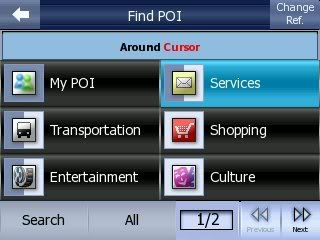
How to add mass POI to Jensen NVX-255

Let the fun began.

1. Download the software. iGo POI Explorer
2. Plug GPS to computer and transfer the iGO.db file to your computer. It's located MyFlashDisk/iGo folder. BE SURE TO BACK THIS UP.
3. Select File/Import/iGO Database From File (offline) from iGo POI program.
4. Select your iGO.db file from where ever you saved it. Any POI that you have saved on your GPS will be displayed.
5. Go to a POI website like POI Factory (need free membership) and download the POI's that you want. I will use Advance Auto Parts for example. Download Advance Auto Parts.csv file.
6. In the POI software go to File/Import/POIs From File and change the "file of type" to "CSV POI file". Advance Auto Parts.csv file.
7. Now the POIs should show up. You may have to select that folder and drag it on iGO POI Database. (That's what I had to do) Once there, you can drag it to what order you want.
8. Nows the fun part. Select File/Export/iGO Database To File (Offline)and select the same iGO.db file then hit save. It won't let you save to a different file. (That's why you back it up) Here is the fun part. Sometimes I have to move my folders around and keep hitting export until it saves. This program is still beta. I would start out adding one folder (CVS file) at a time and hit save to make sure it works.

Good luck. I'll remind you one more time. BACK UP YOUR IGO FILE!

Thursday, December 20, 2007

Modded Jensen NVX225 GPS: Update! New Pics!

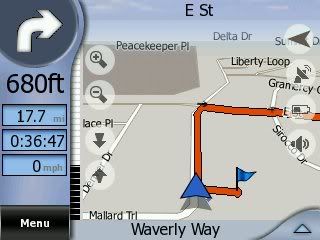
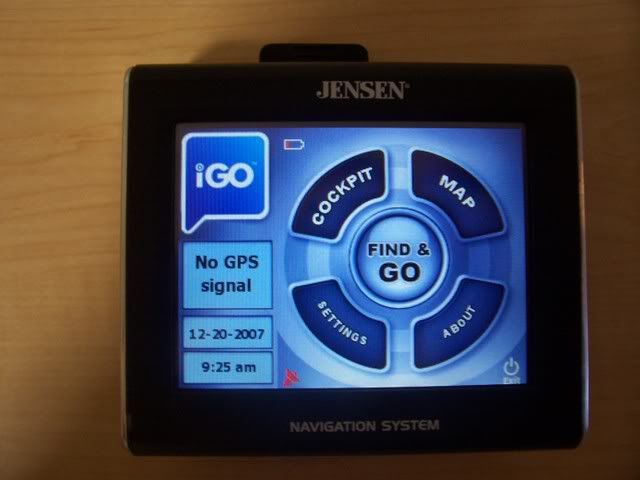
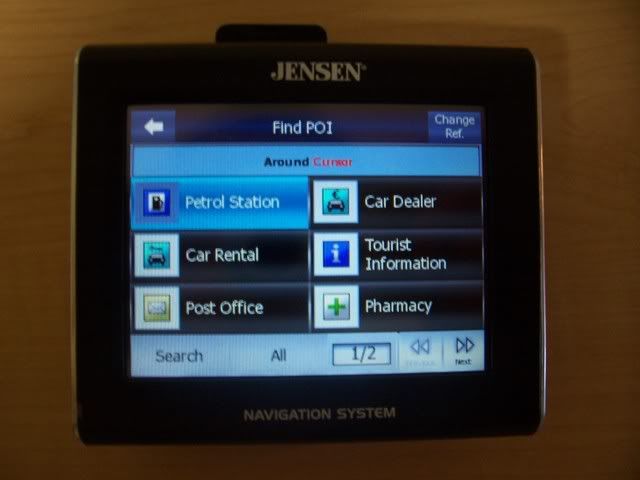
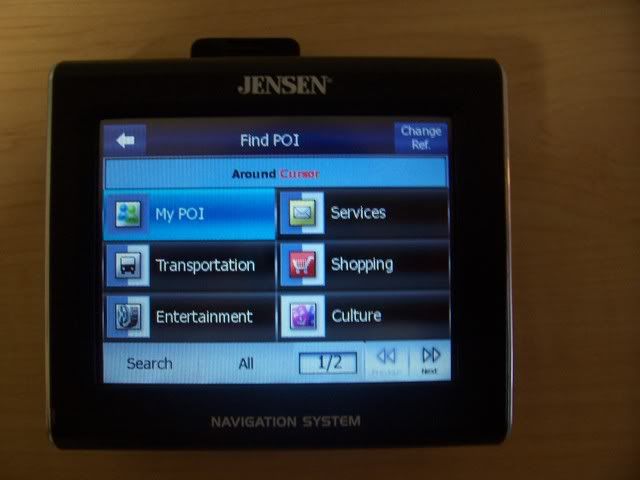
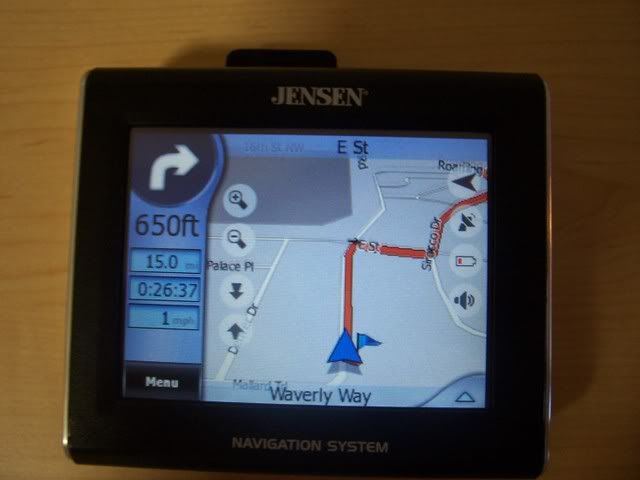
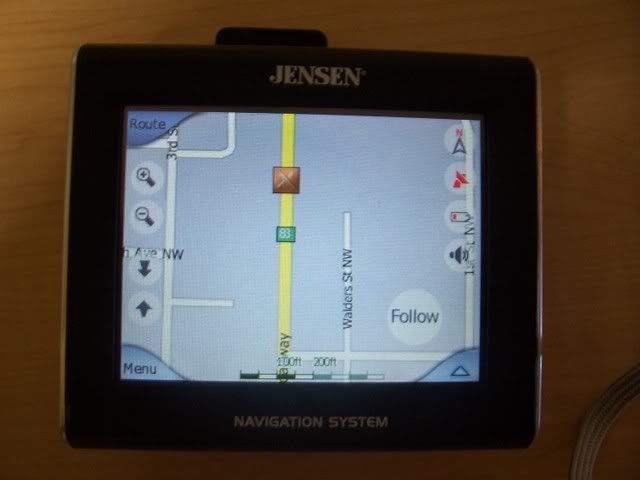
I just purchased the Jenson NVX225 on black Friday. Got if for $139.99. I thought it wouldn't be that good since it was so cheap. I was wrong, it's great. It does everything I need it too.

Product Description
- 3.5" color touch screen
- 1GB flash memory with full U.S. mapping
- 1.6 million points of intreset (POIs)
- Turn-by-turn voice prompts
- Built-in rechargeable Li-Polymer battery
- Cradle with built-In speaker
- Includes mounting bracket and car adapter

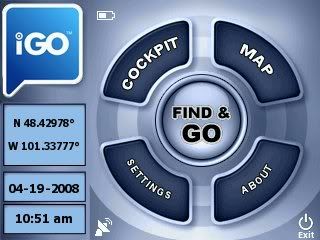
I put mod in the title because it's changing it from it's intended purpose. I put a media player and shortcut to explorer. Now I can use my gps as a video or mp3 touchscreen player. I tested with my digital camera SD card and it worked fine. It even played a quicktime short video. I also changed the gps menu skin a little. I'll post some how-to's later. Check out the pics.

Update: New pictures. Improved POI icons (old ones were black and white) and look. My friend just bought the Garmin nĂ¼vi 200. He compared it to mine and took it back and purchased the same one I had and wanted me to put the mods on his. Now he's happy. I have now uploaded the mod. I'll keep it here as long as I can. Feel free to share. Just please link back to me.

Download Jensen NVX-225 Mod - instructions included. If you have any questions, just leave a comment. This doesn't include the multimedia mod - you can google for that.

Click play button to play.


Twitter Delicious Facebook Digg Stumbleupon Favorites More